Illustrious anime · OrangeMix homage
Nova Orange XL — detailed skin, depth, and light
Nova Orange XL is Crody’s SDXL / Illustrious anime merge, publicly positioned around detailed skin and depth, with a nod to classic OrangeMixes. Current public focus: REX v1.0 (RE look + EX poses).
- Creator
- Crody
- Current focus
- REX v1.0
- Sister models
- Anime · Cartoon

Why Nova Orange XL
Skin, scenery, and light with room to push poses
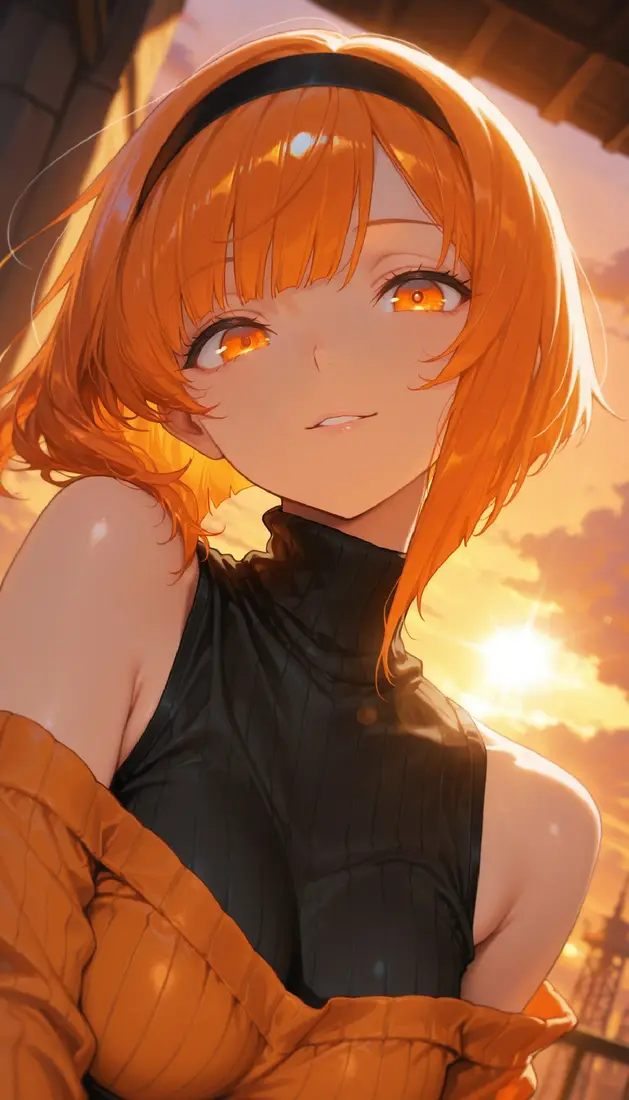
Reach for Orange when you want anime illustration with stronger depth cues — soft focus, volumetric light, and expressive faces — rather than pure flat cel look.
Detailed skin and depth
Public positioning calls out detailed skin and depth — useful for portraits and layered scenes.
Scenery and volumetric light
Recommended prompts often include scenery, depth of field, and volumetric lighting for atmosphere.
RE / EX / REX branches
RE restores early look; EX pushes extreme poses; REX blends RE feel with EX posing and strong expression/light.
Modest CFG workflow
Card tips commonly suggest Euler a, 20–30 steps, CFG about 3–5, Clip Skip 1–2.
Lineage
Mainline, RE, EX, then REX
Orange is not a single straight ladder. Public cards show a long mainline, then specialty RE and EX lines, with REX as a recent hybrid focus.
- 1
Mainline merges
Public mainline versions span roughly v1 through the teens, establishing the Orange anime look.
- 2
RE line
RE:v1.0 aims to restore v1.0 feel; RE:v2.0 expands knowledge and posing (NoobAI + Illustrious DARE notes on cards).
- 3
EX line
EX builds emphasize more extreme poses; light and chromatic feel may track earlier EX experimental cards.
- 4
REX v1.0 (current focus)
About 2026-05-14. RE aesthetics + EX posing, high expression and light, with ChenkinNoob v0.5 DARE called out publicly.

How to use it
A simple starting recipe
Use local SDXL UIs with the Orange safetensors file, or open the multi-model playground tabs and pick a Nova Orange checkpoint from the list.
1. Pick the right branch
Want classic Orange feel? RE. Want extreme poses? EX. Want both? Start with REX if available in your UI.
2. Euler a · CFG 3–5
Common public defaults: Euler a, 20–30 steps, CFG about 3–5.
3. Prompt for depth
Add scenery, depth of field, or volumetric lighting when you want space and atmosphere.
4. Browser multi-model tabs
On this site’s playground, use the multi-model tabs and select a Nova Orange checkpoint (no dedicated Orange-only demo).
Playground
Try Orange via multi-model demos
There is no dedicated Orange-only Space in our tabs. Use the multi-model demos and choose a Nova Orange checkpoint from the dropdown.
Demos are third-party. Model lists and queues change upstream.
Launch playground
Resources
Where to go next
Nova Anime XL home
The main Nova Anime XL landing page for the colorful Illustrious anime line.
Open homeNova Cartoon XL
Sister toon checkpoint when you want cartoon style instead of classic anime.
Open Cartoon